
Practical guides for teams using Outlook to send repeatable client emails
Learn how to standardize workflows, reduce mistakes, and roll out better email processes across your team.
Copilot in Outlook Can Draft Your Emails. It Can't Standardize Them.
Copilot in Outlook helps you draft faster, but it doesn't guarantee the same subject line, attachments, or recipients every time. Here's what it's built for, and where teams still need structured workflows.
Best Outlook Email Template Tools for Teams (2026 Guide)
Not all Outlook email template tools are built the same. This guide explains the five main categories, what each one actually covers, and which solution is right for teams that need templates, variables, attachments, signatures, and consistent email structure inside Outlook.
How to Roll Out Toggles Across Your Team in 14 Days
A practical 14-day rollout plan for Business Pro teams to standardize high-stakes emails, reduce inconsistency, and establish a team-wide standard in Outlook.
Writing Emails Isn't the Problem. Assembling Them Is.
AI writing tools optimize words, but most client-facing teams lose time assembling emails. Learn why email assembly—not writing—is the real productivity bottleneck for teams.

Why Email Templates Don't Get Used (And What Actually Works)
Email templates often fail because they only handle text. Learn why teams abandon templates and how workflow-based email assembly actually drives adoption and consistency.
Workflows vs Templates: What's the Difference?
Explore how workflows expand on templates in Toggles for Outlook—automating not just email content, but also subject lines, recipients, attachments, signatures, and scheduling. Learn why workflows deliver maximum efficiency.
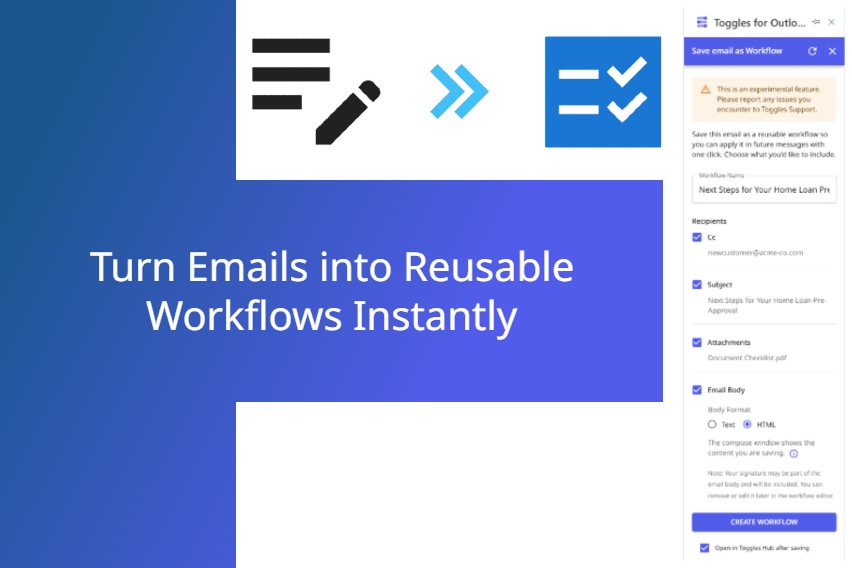
Turn Emails into Reusable Workflows Instantly
Quickly transform any email draft into a reusable workflow directly within Toggles for Outlook. Save time, increase consistency, and supercharge your email productivity instantly.
Kick start your productivity with the new Toggles Workflow Library
Toggles for Outlook now offers a one-click Workflow Library for roles like HR, Sales, Legal, and more. Instantly boost email productivity with customizable workflows you can use in Toggles immediately.
See Your Team's Time Savings with Toggles (Business Pro Admins Only)
Discover how Business Pro admins can now track their team's total time savings inside Toggles for Outlook—powered by transparent, detailed calculations that reveal exactly how much efficiency your workflows deliver, no setup changes required.
Rules are now called Workflows in Toggles
Learn why we've renamed “Rules” to “Workflows” in Toggles for Outlook—and how this simple change makes automation clearer and more intuitive, with no impact on your existing setups or processes.
Toggles Add-in Office365 OAuth Support
Support for Office365 OAuth activation within the Toggles Add-in provides a quicker, more secure way for users to authenticate.
Toggles Business Pro Quickstart Guide
A step-by-step guide for getting started with Toggles for Outlook for your team with Business Pro.